

Sports Betting

SportsBetting.ag is a trusted bookmaker operating since 1991, offering online sports betting, crypto deposits, generous bonuses, and 24/7 customer support.

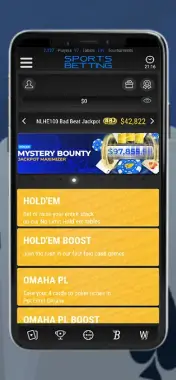
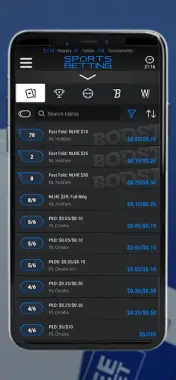
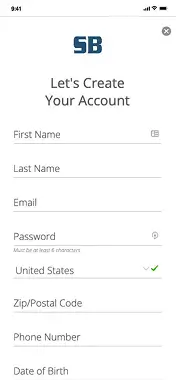
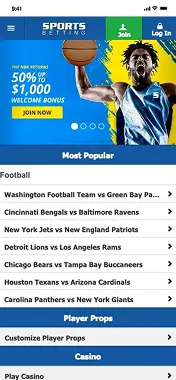
SportsBetting.ag offers Android users a fully optimized mobile version of its website. There is no official app in Google Play, but the site runs smoothly in mobile browsers (Chrome is recommended) and gives full access to all key sportsbook features.
You can place pre-match and live bets, make deposits, activate bonuses, play casino games, and contact customer support — all directly from your smartphone. The site layout automatically adjusts to your screen for easy navigation and fast interaction.
How to Add SportsBetting.ag to Your Android Home Screen
To quickly access the site like an app:
- Open sportsbetting.ag in Chrome.
- Tap the three-dot menu in the top-right corner.
- Select “Add to Home screen.”
- Confirm and name the shortcut.
You’ll now have a SportsBetting icon on your Android home screen for one-tap access.
Advantages and disadvantages Sports Betting
- No installation required — runs in your browser
- Compatible with all modern Android devices
- Full functionality: betting, bonuses, casino
- Live betting is available
- Fast access to deposits and withdrawals
- You can add a shortcut to the home screen
- No official app in Google Play
- No live streaming or in-game match center
Mobile app evaluation
FAQ
No, there’s no official Android app in Google Play. Instead, you can use the mobile version of the site, which works perfectly in Chrome or any other browser.
Open the site in your browser, tap “Join,” complete the registration form, confirm your email, and make your first deposit of at least $50 using promo code WELCOME to claim the bonus.
Yes, the mobile site supports deposits via credit cards and crypto, lets you place bets, join promotions, and withdraw funds — all from your Android device.

.svg)
