

MyBookie

MyBookie is a US-focused sportsbook since 2014, known for crypto support, fast Bitcoin payouts, easy KYC, and a wide range of betting markets.



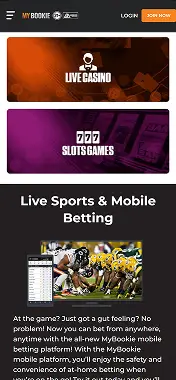

MyBookie Android App Review from Scores24
Picture this: you’re at the sports bar, watching your team push for a last-minute win. You want to lock in that bet before the odds shift. The MyBookie Android app makes it happen. But, here’s the twist — you won’t find it officially in Google Play. Instead, it’s a slick mobile site that runs in your browser, so you skip the download and jump straight to betting.
Does MyBookie Have an Android App?
If you’re asking, “Does MyBookie have an app for Android?” the short answer is no traditional download. The long answer? Yes — but in the form of a mobile-optimized sportsbook and casino that works flawlessly on any Android handheld gadget.
How to Download MyBookie App Android
You don’t actually “download MyBookie betting app for Android” in the Play Store sense. Instead, you create a shortcut to the mobile site for one-tap betting.
Here’re the steps to get started:
- Open Chrome on your Android phone.
- Go to mybookie.ag.
- Log in or sign up.
- Tap the three dots menu in Chrome.
- Select “Add to Home Screen.”
Now, the MyBookie betting app icon sits right on your screen, just like a regular mobile application.
Features & Benefits of MyBookie Android App
The MyBookie AG app for Android comes loaded with everything a bettor could want:
- Complete sportsbook. NFL spreads, NBA live odds, MLB futures, UFC cards, and more.
- Mobile casino. Slots, blackjack, roulette, and progressive jackpots.
- Touch-friendly navigation for one-thumb betting.
- Works on any internet-enabled Android device.
- Crypto banking for faster deposits and withdrawals.
It’s perfect for betting from the couch, the stands, or in line at the grocery store.
How to Sign Up with MyBookie App for Android
New player? Signing up is not a chore at all:
- Visit mybookie.ag on Chrome or your browser of choice.
- Hit Join Now.
- Fill in your name, email, and date of birth.
- Create a password and choose your currency.
- Confirm your account via email.
Deposit your funds, and you’re ready for kickoff.
Special Considerations When Using MyBookie App Android
Android punters should keep these in mind:
- Strong connection is a must. For live betting and in-play cashouts, Wi-Fi or solid mobile data is vital.
- No APK install needed. Everything runs in-browser.
- Crypto-friendly bookie. Bitcoin, Ethereum, Litecoin, and other digital coins are supported.
- Responsible betting tools. The mobile version does come with deposit limits, cool-off periods, and self-exclusion, just like the main site.
Conclusion
The MyBookie Android app gives you the whole sportsbook and casino in a lightweight package that never needs updates. If you’ve got an Android phone and a good Internet connection, you’ve got a betting platform in your pocket, no downloads, no memory eating.
Advantages and disadvantages MyBookie
- No installation needed — works via browser.
- Compatible with Android and iOS.
- Full access to betting, casino, and bonuses.
- Live betting is available.
- Fast and user-friendly interface.
- No dedicated mobile app.
- No live match streaming.
Mobile app evaluation
FAQ
No, it’s a browser-based app that works on any Android device.
Yes — live betting is fully available.
Yes, including slots, blackjack, and roulette.
Yes, it’s SSL-encrypted and operates under MyBookie’s licensed platform.

.svg)
